- 9390612347 | 9985023600
- dilsukhnagar@smartcadindia.com
- Hyderabad, Bengaluru
Civil 3D TRAINING COURSE
Learn Autodesk Civil 3D in Hyderabad with training in surface modelling, road design, alignments, profiles, corridor modelling, grading and drainage design at SmartCAD India.
Fill the form and our team will get in touch with you.
Autodesk Civil 3D is civil engineering design software used for infrastructure projects such as roads, highways, land development, railways and drainage systems. It provides model-based tools for creating surfaces, alignments, profiles, corridors and engineering documentation.
The Civil 3D course at SmartCAD India is designed to introduce learners to essential civil design workflows. Students can develop an understanding of survey data, terrain modelling, road geometry, grading and infrastructure drawing preparation.
Through software exercises and project-based practice, learners can explore how design elements work together in a coordinated civil engineering model.
This course may be useful for civil engineering students, graduates, CAD designers and professionals looking to develop their civil infrastructure design software skills.

Autodesk Civil 3D is a civil infrastructure design application that supports model-based design, analysis and documentation. It helps civil engineering teams create and manage design elements such as ground surfaces, road alignments, profiles, corridors and utility networks.
Civil 3D is used in workflows involving transportation infrastructure, land development, site grading and drainage design. Its connected design objects can update related elements when changes are made, helping teams manage design revisions and documentation.
Learning Civil 3D can help students understand how civil engineering drawings and 3D infrastructure models are developed.
Introduction to Autodesk Civil 3D
Interface, workspace and navigation
Civil 3D objects and basic settings
Overview of civil infrastructure design workflows
Understanding survey data
Importing and managing points
Point groups and point styles
Working with survey information
Creating surfaces from survey data
Working with contours and breaklines
Surface styles and labels
Elevation and slope analysis fundamentals
Surface editing and review
Horizontal alignment fundamentals
Creating and editing alignments
Curves and alignment geometry
Stationing and alignment labels
Creating existing ground profiles
Designing vertical profiles
Profile views and labels
Understanding vertical geometry
Introduction to corridor design
Assemblies and subassemblies
Creating corridor models
Road cross-sections
Corridor surface and model review
Feature lines and grading concepts
Creating grading objects
Site layout fundamentals
Finished ground surface development
Basic earthwork concepts
Introduction to pipe networks
Gravity pipe network fundamentals
Pipes, structures and network layouts
Drainage design concepts
Network labels and documentation
Sample lines and section views
Cross-section generation
Understanding cut and fill volumes
Material quantity reports
Basic quantity takeoff workflows
Plan and profile sheets
Drawing annotation and labelling
Design documentation
Reviewing a sample civil infrastructure project
Preparing project drawings for presentation
Civil CAD Designer
Civil 3D Designer
Road Design CAD Technician
Highway Design Technician
Infrastructure Design Technician
Junior Civil Design Engineer
Develop your understanding of civil engineering design software through structured training and practice.
Learn essential Civil 3D workflows
Practise civil design and drafting exercises
Explore infrastructure modelling concepts
Build familiarity with engineering documentation
Strengthen software skills for civil design projects
Add verified details about trainers, practical projects, certifications, batch schedules and career support before publishing.
WHY SMARTCAD INDIA
Get practical, industry-focused training with experienced trainers, hands-on projects, and personal guidance throughout your learning journey.
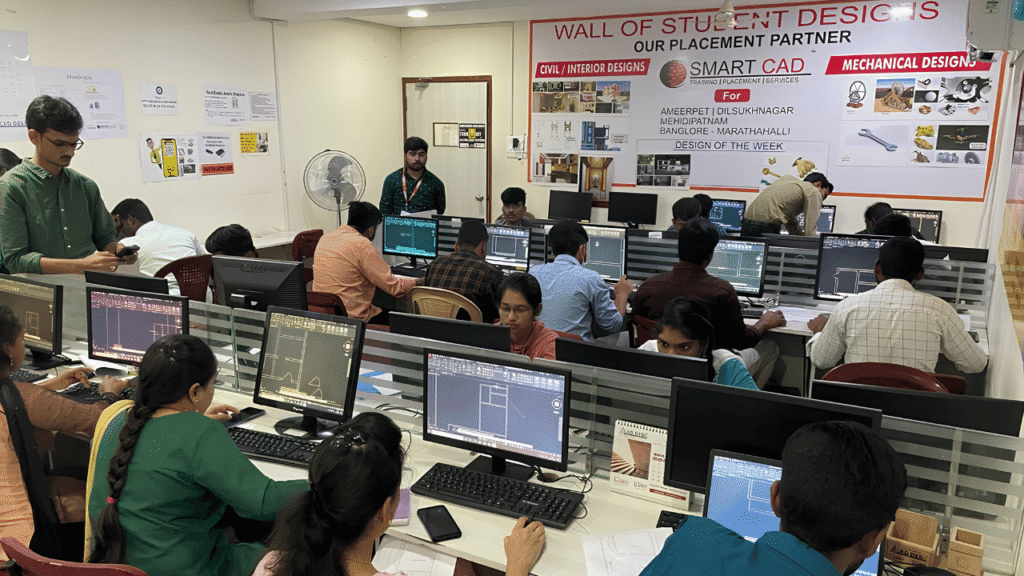
Learn CAD, BIM, Architecture, Civil and Mechanical tools through practical, job-oriented training.
Learn from experienced professionals who simplify complex concepts and guide you through real projects.
Work on real-world projects and assignments to turn classroom knowledge into practical skills.
Get one-to-one support, doubt clarification and guidance whenever you need it.
Student Support
CAREER NETWORK
Our students build industry-ready skills that open opportunities across architecture, engineering, construction, design and project management.












STUDENT SUCCESS
From classroom learning to professional careers — see how SmartCAD India students are applying their skills in the industry.














STUDENT EXPERIENCES
Hear from students who learned industry-relevant CAD and design skills, worked on practical projects, and took the next step toward their careers.
Civil 3D is used for civil infrastructure design workflows, including terrain modelling, road and highway design, grading, drainage and engineering documentation.
Yes. AutoCAD is a general-purpose CAD drafting application, while Civil 3D provides specialised tools and connected design objects for civil infrastructure projects.
Civil engineering students, graduates, CAD designers and related professionals may benefit from Civil 3D training. Basic drafting knowledge is useful.
Yes. Civil 3D supports road design workflows involving alignments, profiles, corridors, intersections, sections and design documentation.
Yes. It provides tools for creating and editing terrain surfaces from survey points, breaklines and other surface data.
Yes. Civil 3D supports drainage-related workflows, including gravity pipe networks and pressure networks. The specific analysis capabilities depend on the tools and integrations used.