- 9390612347 | 9985023600
- dilsukhnagar@smartcadindia.com
- Hyderabad, Bengaluru
AUTOCAD Plant 3D TRAINING COURSE
Learn industrial plant modelling, piping layout design, equipment placement and isometric drawing workflows with AutoCAD Plant 3D training at SmartCAD India.
Fill the form and our team will get in touch with you.
AutoCAD Plant 3D is an engineering design application used to create 3D models of industrial plants, develop piping layouts and generate associated engineering drawings. It supports plant design workflows by connecting equipment, piping components, specifications and project documentation within a coordinated design environment.
The AutoCAD Plant 3D course at SmartCAD India is designed to introduce learners to plant modelling, piping systems, equipment arrangement, pipe routing and isometric drawing generation. Students can develop an understanding of how industrial plant layouts are created and how design information is organized for engineering projects.
The training focuses on the relationship between 3D models, piping arrangements and technical drawings. It is suitable for learners interested in piping design, plant engineering and CAD-based industrial design.

AutoCAD Plant 3D is used to develop 3D models of industrial process plants and create related engineering documentation. Designers can model piping systems, place equipment, route pipes and generate drawings that communicate the design. Plant 3D supports workflows involving piping specifications, P&ID integration, orthographic drawings and piping isometrics. These capabilities help engineering teams coordinate plant layouts and communicate design information. Learning AutoCAD Plant 3D can help students understand how industrial piping systems are represented in a three-dimensional environment and how design models support project documentation.
Fundamentals of industrial plant design
Introduction to AutoCAD Plant 3D
Software interface and project environment
Overview of plant design workflows
Creating and organizing projects
Understanding project structure
Drawing configuration and settings
Introduction to project data management
Introduction to plant equipment
Placing equipment in the model
Editing equipment properties
Equipment arrangement fundamentals
Working with equipment nozzles and connections
Introduction to piping components
Pipes, fittings, valves and connections
Piping specifications and component selection
Pipe routing and layout development
Basic piping arrangement principles
Understanding Piping and Instrumentation Diagrams
Working with P&ID information
Connecting process information with plant modelling workflows
Reviewing relationships between diagrams and 3D models
Introduction to piping supports
Pipe racks and layout considerations
Equipment access and clearance
Basic coordination of piping arrangements
Generating piping isometric drawings
Understanding dimensions and annotations
Creating orthographic views
Reviewing and updating drawing outputs
Preparing engineering documentation
Reviewing the 3D plant model
Checking piping arrangements
Managing drawing outputs
Organizing project documentation
Practical plant modelling exercise
Plant 3D Designer
Piping CAD Designer
Junior Piping Designer
Plant Design Drafter
Industrial CAD Technician
Develop your understanding of industrial plant modelling and piping design workflows through structured CAD training.
Training focused on plant design software
Practice with 3D modelling and piping layouts
Engineering drawing exercises
Guidance on plant design documentation
Course guidance for students and professionals
Add verified details about trainer experience, project work, certification and career support before publishing.
WHY SMARTCAD INDIA
Get practical, industry-focused training with experienced trainers, hands-on projects, and personal guidance throughout your learning journey.
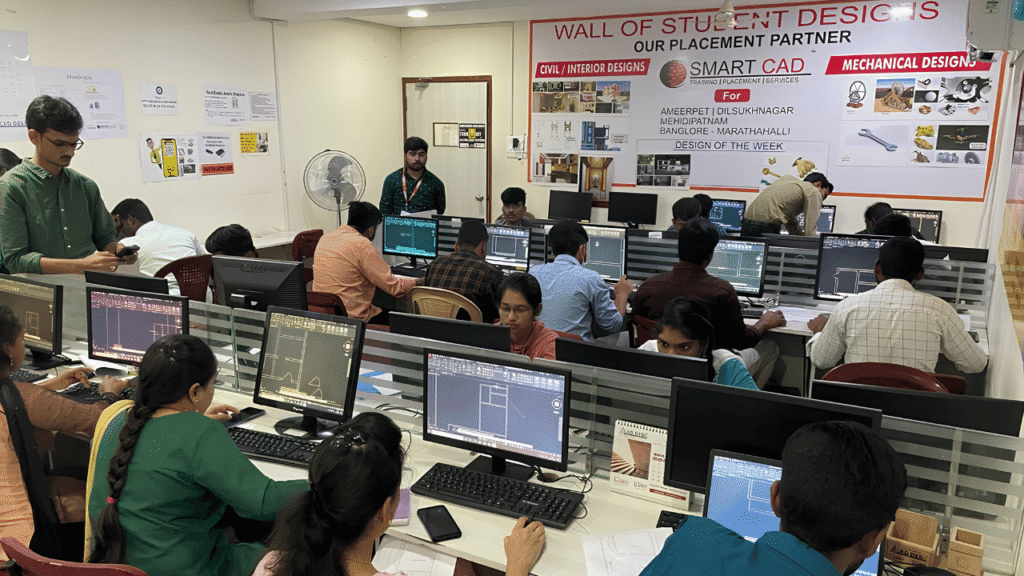
Learn CAD, BIM, Architecture, Civil and Mechanical tools through practical, job-oriented training.
Learn from experienced professionals who simplify complex concepts and guide you through real projects.
Work on real-world projects and assignments to turn classroom knowledge into practical skills.
Get one-to-one support, doubt clarification and guidance whenever you need it.
Student Support
CAREER NETWORK
Our students build industry-ready skills that open opportunities across architecture, engineering, construction, design and project management.












STUDENT SUCCESS
From classroom learning to professional careers — see how SmartCAD India students are applying their skills in the industry.














STUDENT EXPERIENCES
Hear from students who learned industry-relevant CAD and design skills, worked on practical projects, and took the next step toward their careers.
AutoCAD Plant 3D is used to model industrial plants, create piping layouts, place equipment and generate engineering drawings such as piping isometrics and orthographic views.
AutoCAD is a general-purpose CAD application. AutoCAD Plant 3D adds specialized tools for industrial plant modelling, piping design, project specifications and associated engineering documentation.
Mechanical and chemical engineering students, graduates and relevant professionals may find the course useful. Confirm the prerequisites with SmartCAD India.
Yes. It supports 3D piping layout development, component placement and the generation of piping-related drawings used in plant design projects.
Yes. Plant 3D includes P&ID tools and workflows that connect process diagrams with 3D plant design information.
Yes. Plant 3D supports the generation of piping isometric drawings from suitable piping models and project configurations.